


Dr. Panda Racers
3.910.00 Reviews
App Specs
- Version
- 26.3.14
- Updated On
- License
- $3.99
- Downloads
- 50,000+
- Developer
- Dr. Panda
- Categories
- Racing
- Platform
- Android
Screenshots
 Analysis by AppCompare
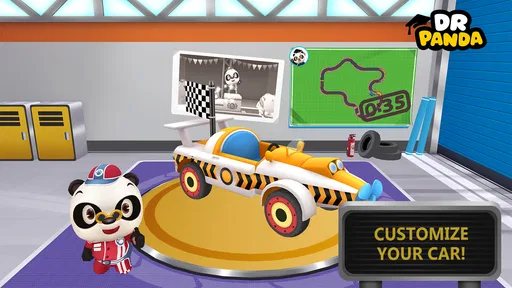
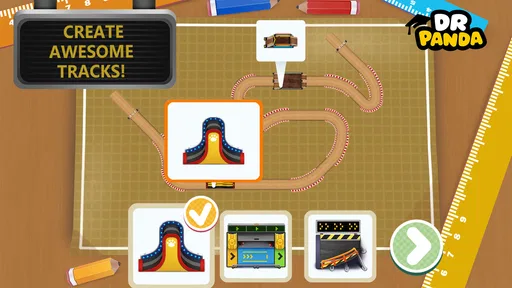
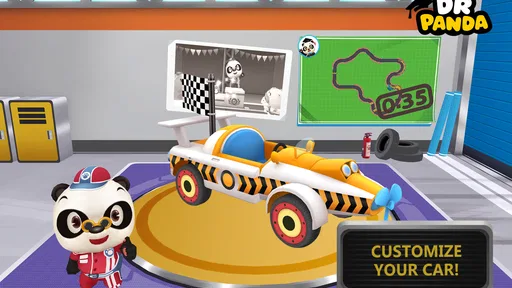
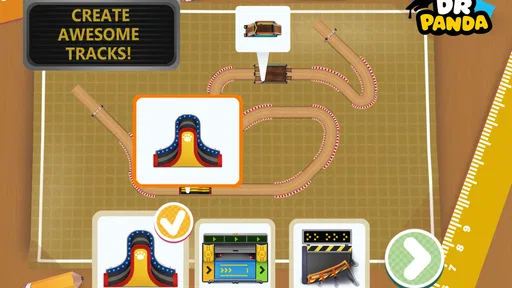
I approached Dr. Panda Racers as a small, hands-on racing game rather than a traditional speed-focused racer. Its appeal is not about chasing the most realistic driving model or competing through a huge professional championship. Instead, it puts the creative setup before the race: you assemble a car, shape a track, and then see how your choices feel when the wheels start moving. That makes it especially interesting for children and parents looking for something more playful than demanding.
After spending time with it, my main impression is that the game works best when you treat each race as a short creative activity. You are not simply selecting a finished vehicle and following a fixed course. The enjoyable part is deciding what to build, testing it, noticing what works, and changing the setup when the result feels dull or awkward. That loop gives the game a gentler personality than most racing titles.
It is a paid game from Dr. Panda, listed for Everyone, with a price of $3.99. It belongs to the racing category, but I would describe it as a family-friendly construction-and-racing experience. That distinction matters: someone wanting intense competition may find it too simple, while a younger player who enjoys making things may get much more from it than from a conventional car game.
What to consider before choosing this racer
The first decision is whether the player values creative control more than technical challenge. In many racing games, the fun comes from mastering braking points, learning complicated circuits, overtaking opponents, or tuning a vehicle for tiny performance gains. Here, the attraction is closer to building a toy racetrack and immediately playing with it. The game is therefore easier to recommend to a child who likes experimenting than to an adult searching for a serious driving simulation.
I also considered how much friction the game creates between an idea and the result. For a young player, every extra menu, confusing control, or punishing failure can interrupt the fun. Dr. Panda Racers is most successful when it keeps that path simple: make a choice, try it, and revise it. That makes it suitable for short sessions, including the kind of ten-minute play period before dinner or during a journey.
The game’s age rating of Everyone supports that family setting. I would still play the first session with a child, not because the concept is difficult, but because shared discovery helps explain the building process and lets the child learn by trying. Once the basic rhythm is clear, the game is well suited to independent play for children who are comfortable navigating its interface.
Another practical criterion is the purchase model. This is not a free download designed to pull the player toward repeated spending; it is presented at $3.99. For parents, that can make the decision easier because the cost is visible at the start. The trade-off is that a paid game has to earn its place on the device through replay value. If the player enjoys construction and repeated experimentation, that value is easier to find. If they only want a quick race with constant novelty, the purchase may feel less convincing.
Worth Reading Before You Choose

Flipboard Shows What News Apps Must Do Beyond the Feed

Switching to Android Auto Means Rethinking Your Driving Routine

Google Calendar Makes a Crowded Week Easier to Manage

Ludo King Makes the Most of the Minutes Between Plans

Baby Panda World Brings Quick Play to Modern Phones, but Its Game Library Feels Busy

ESPN’s Live Game View Makes Following Close Games Easier
The game was released on May 19, 2016, and its current version is 26.3.14. It requires Android 7.0 or later. Those details make compatibility worth checking before installing, particularly on an older family tablet. The title has reached over 50 thousand installs and holds a 3.9 average from around 396 ratings, which suggests a reasonably established but not universally loved experience. I read that as a reason to set expectations carefully rather than as a verdict on the game.
How the build-and-race loop feels in practice
The strongest idea is the connection between making and driving. Building a car or track is not treated as a separate creative tool that you leave behind before the “real” game begins. The design choices become the subject of the race. That gives children a direct lesson in cause and effect: a track that looks exciting may be difficult to follow, while a simpler arrangement may produce a smoother and more enjoyable run.
I found this useful because it encourages observation instead of random tapping. A child can be asked what they noticed after a race: Was the route easy to understand? Did the car feel fun to control? Which part should be changed next? Those questions turn a short game into a small problem-solving exercise without making it feel like schoolwork.
One of my favorite ways to use it is to set a simple challenge before opening the editor. For example, I might suggest making a track that is easy to remember, then another that includes a surprising turn. Comparing the two gives the player a reason to revisit earlier creations. The important tip is not to rebuild everything after every attempt. Changing one element at a time makes it easier to understand what actually improved the race.
That approach also reveals a limitation. The game’s replay value depends heavily on the player inventing their own goals. If a child needs a long stream of structured events, unlocks, or increasingly difficult races to stay interested, the open-ended format may lose its pull. It is better suited to a player who enjoys deciding what to try next than to someone who expects the game to provide a detailed progression path.
Where this game wins over standard racing alternatives
Compared with a conventional arcade racer, this game gives the player more ownership of the activity. A typical racing title may offer polished tracks and immediate action, but the player mainly reacts to a course designed by someone else. Here, the track itself becomes part of the play session. That makes it a stronger choice for children who like arranging objects, inventing routes, and seeing their ideas move.
It also has an advantage over racing games built around competition. There is less pressure to win every attempt, and a failed run can still be useful because it shows what to adjust. I appreciate that difference for younger players who become frustrated by losing. The focus can shift from “I came last” to “the route I made was hard to drive, so I will change it.” That is a healthier and more flexible way to approach repeated attempts.
Another strength is the shared-play potential. An adult can participate without needing to be a racing-game expert. One person can suggest a track idea, another can assemble it, and both can watch the result. This works well on a family tablet when the goal is a short activity together rather than a game that demands uninterrupted solo concentration.
The game is also more approachable than a simulation racer. There is no need to learn realistic vehicle behavior, memorize complicated controls, or understand racing terminology before having fun. That simplicity is not a weakness for the intended audience; it is part of the design’s usefulness. A child can focus on making choices and observing outcomes rather than managing a large set of technical systems.
Small habits that make the experience better
I recommend starting with a modest track instead of trying to create the most elaborate design immediately. A smaller route makes it easier to see how the game responds to each decision. Once the player understands the relationship between construction and racing, adding variety becomes more meaningful. This is a better workflow than filling the track with every available idea at once and then not knowing why the result feels confusing.
A second useful habit is to give each creation a purpose. One track can be designed for a smooth run, another for surprise, and another simply to test a new arrangement. Naming the purpose aloud helps a child think like a designer. It also prevents the editor from becoming a place where choices are made without a plan.
I would also keep sessions short when the player starts repeating the same design without enthusiasm. Because the game is built around experimentation, stopping after a satisfying discovery can be better than pushing until the activity feels like a chore. Returning later with a fresh idea preserves the sense of play and makes the paid purchase feel more worthwhile over time.
For parents, the most effective use case is a child who enjoys both vehicles and creative play. A child who only wants to watch cars move may enjoy the racing portion briefly, but the deeper value comes from participating in the construction. Likewise, a child who loves building but dislikes testing and revising may prefer a pure creative app. The best match is someone who enjoys seeing a design become an interactive result.
When another type of game may be a better fit
I would not choose this as a replacement for a serious racing game. If your priority is realistic handling, a large selection of competitive events, advanced vehicle tuning, or a demanding skill curve, you should look elsewhere in the racing category. Dr. Panda Racers is intentionally more accessible and imaginative, so it does not compete on those terms.
It may also be a weaker choice for a child who needs constant rewards and a clearly directed campaign. The game asks the player to supply some of the motivation. That can be liberating for an imaginative child, but it can also feel like work to someone who wants the next objective presented immediately.
At the other end of the spectrum, a pure building game may be preferable if racing is only a minor interest. In this title, construction has a purpose: it leads to a drive. That connection is the reason to choose it, but it also means the experience may not satisfy a player who wants unrestricted creation without a racing outcome.
The same comparison applies to multiplayer-focused alternatives. If the main goal is to race friends, compare times, or compete in a busy online environment, this is not the type of experience I would put first. Its appeal is personal experimentation and family interaction, not a crowded competitive scene.
Is the paid download worth changing your usual choice?
The cost of switching from a free racing game is not only the purchase price. It is also the change in expectations. A free title may offer more immediate variety or a familiar competitive structure, while this game asks you to appreciate a slower creative loop. I would buy it when the player already enjoys making roads, arranging toys, or inventing little challenges. In that situation, the price pays for a focused activity rather than merely another car game.
If you are unsure, watch how the child plays similar games already available at home. Do they pause to design a route, alter a setup, and try again? Do they talk about why something worked? Those behaviors are strong signs that the construction element will matter. If they skip every customization option and head straight for the fastest race, a standard arcade racer may be a better use of the budget.
Because the game is paid, I also recommend treating the first session as a joint trial. Sit with the player, help them create one straightforward track, and then ask what they want to change. This quickly shows whether the game’s central loop clicks. It also reduces the chance of judging it unfairly after a rushed first launch in which the player has not understood why building matters.
For device owners, the operating-system requirement is another part of that decision. Android 7.0 or later is needed, so an older device may not be suitable. On a compatible device, the game makes the most sense as a compact family title that can be revisited, rather than as the only racing game in the household.
My recommendation for families and racing fans
My recommendation is positive, but specific: choose Dr. Panda Racers if you want a gentle racing game where the player’s creativity shapes the activity. Dr. Panda has made something that is easier to share with a child than a technical racer, and the build-test-change cycle gives short sessions more substance than a simple collection of ready-made races.
I would recommend it particularly for families seeking a screen activity that invites conversation. Ask the child to explain the track, predict what will happen, and identify one change after the race. Those small prompts uncover the game’s best qualities and turn it into more than passive entertainment.
I would skip it if your definition of racing requires high-speed competition, realism, extensive progression, or online rivalry. Those are reasonable expectations, but they point toward another kind of game. This one is at its best when the finish line is only part of the reward and the design process is equally important.
After considering its $3.99 price, Everyone rating, Android compatibility, and 3.9 average from around 396 ratings, I see it as a focused family purchase rather than a universal recommendation. Its audience is clear: children and parents who enjoy building something, testing it, and improving it together. For that audience, the real value is the freedom to turn a race into a small creative experiment, and that is what makes this title worth considering.
Pros
- Simple controls make racing accessible for young children.
- Bright cartoon visuals are appealing and easy to understand.
- Short races fit well into brief play sessions.
- Different vehicles add variety to the racing experience.
- Child-friendly design contains no complex menus or reading demands.
Cons
- Gameplay may feel repetitive after several races.
- Limited challenge can disappoint older children.
- Vehicle and track choices may be relatively small.
- Some features may require a paid version or in-app purchase.
- Performance can vary on older phones and tablets.
FAQs for Dr. Panda Racers
What is Dr. Panda Racers, and what can children do in the game?
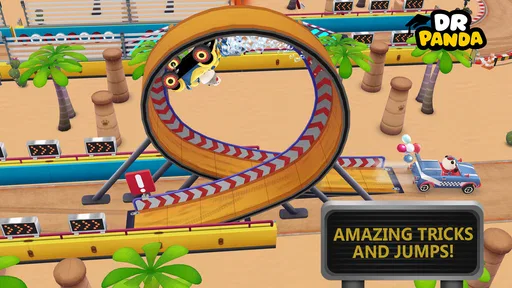
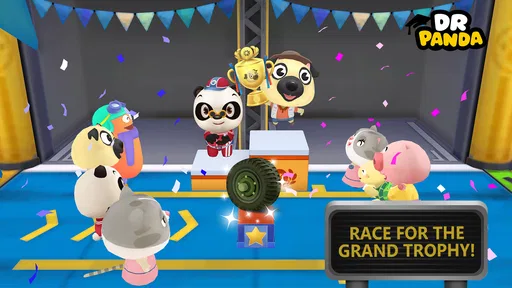
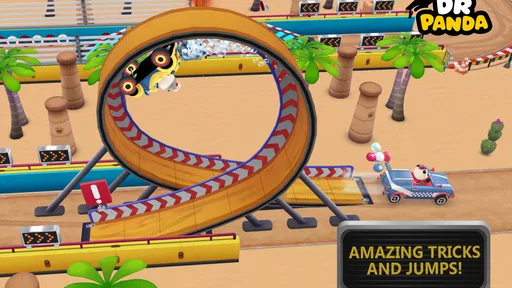
Dr. Panda Racers is a colorful, child-friendly racing game in which players drive playful vehicles around imaginative tracks. Children can choose different characters and cars, race against opponents, explore varied environments, and enjoy simple interactive elements along the way. The game focuses more on discovery, fun, and accessible controls than on realistic competition or complicated racing mechanics.
Is Dr. Panda Racers suitable for young children?
The game is designed with younger players in mind, using bright visuals, friendly characters, and straightforward controls that are easy to understand. It generally does not require advanced reading or gaming skills, making it approachable for preschool and early-school-age children. Parents should still check the current store listing for the recommended age rating, device requirements, and any regional differences.
Does Dr. Panda Racers require an internet connection to play?
Dr. Panda Racers is primarily intended as an offline-friendly experience once it has been installed, which makes it convenient for travel or situations without reliable Wi-Fi. However, an internet connection may be needed for downloading the game, receiving updates, restoring purchases, or accessing certain store-related services. It is best to launch the game once online before giving it to a child offline.
Are there advertisements, in-app purchases, or other additional costs?
The availability of advertisements and optional purchases can depend on the version, platform, and store listing. Dr. Panda titles are commonly presented as child-focused experiences, but parents should review the purchase information before downloading and use device-level parental controls where appropriate. Checking whether the app is paid, subscription-based, or includes extra content helps avoid unexpected charges.
Which devices support Dr. Panda Racers, and is it worth downloading?
Compatibility depends on whether you are using Android or iOS, as well as the operating system version and available storage on your device. Before installing, compare your phone or tablet with the requirements shown on the official store page. The game is worth considering for families seeking a cheerful, low-pressure racing experience, especially if a child enjoys vehicles, colorful worlds, and simple interactive gameplay.


